Service Alert
Direct to Player and Alexa skill temporarily unavailable
Direct to Player service and Accessible Reading Canada for Alexa are temporarily unavailable while we perform important maintenance. We apologize for the inconvenience.
Direct to Player service and Accessible Reading Canada for Alexa are temporarily unavailable while we perform important maintenance. We apologize for the inconvenience.
This guide provides basic information to get you started with reading CELA audio books and audio magazines on the Envoy Connect. A downloadable Word document version of this guide is also available: Getting started guide: Envoy Connect (Word document)
The Envoy Connect is an easy to use, portable and affordable option for reading accessible audiobooks and magazines. This small device has a simple and intuitive layout and offers users another choice for how they access books from CELA.
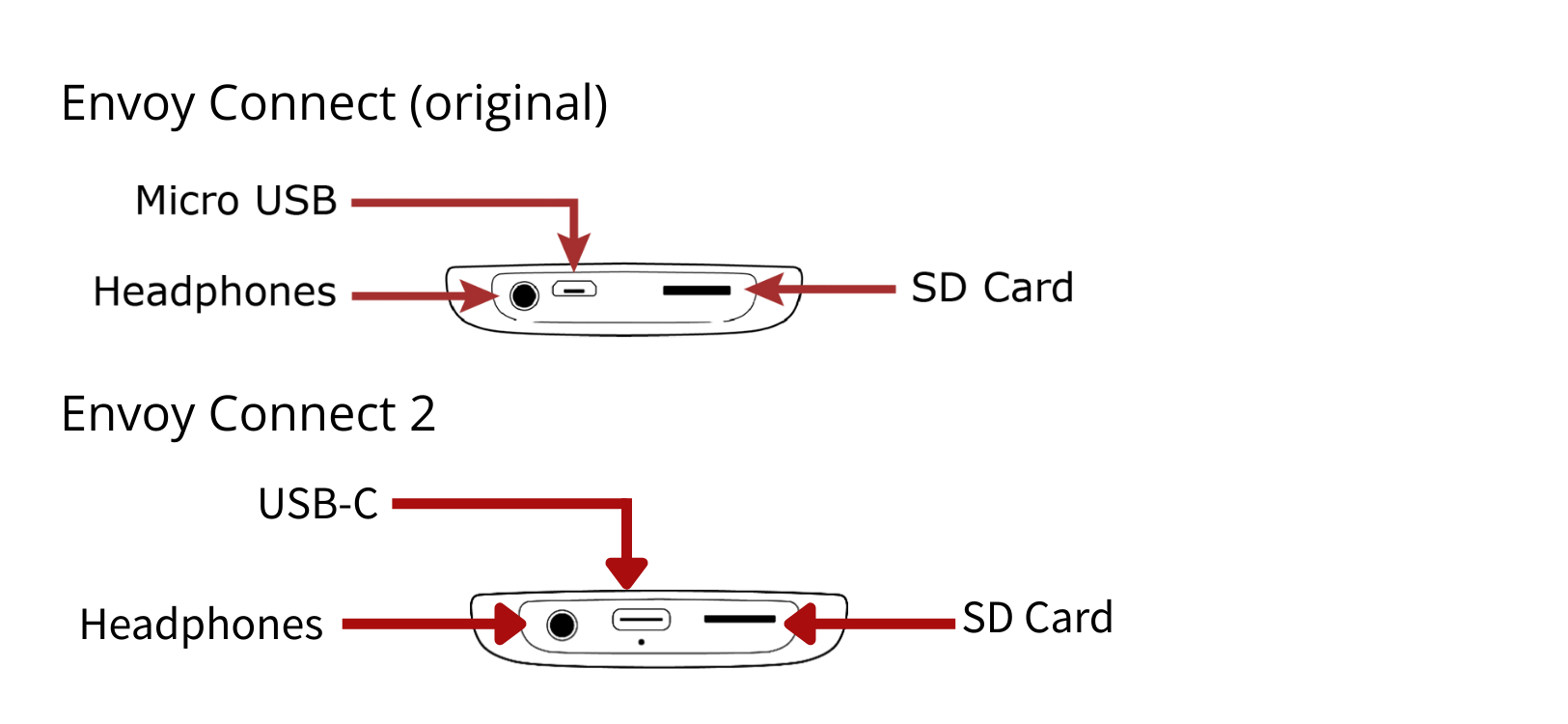
At this time, only the Envoy Connect 2 is available through CNIB Smartlife. The only difference between the original Envoy Connect and the Envoy Connect 2 is that the Envoy Connect 2 has a USB-C charging port while the original Envoy Connect is charged via Micro-USB.
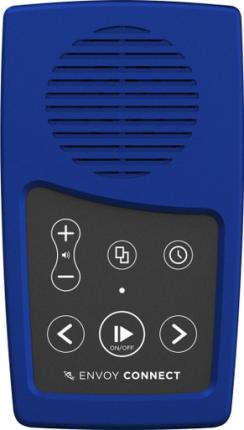
There are two ways you can add books to your Envoy Connect: using a computer and the CELA Connect software or mail the device to CELA for reloading.
For basic instructions on how to reload your Envoy Connect using the CELA Connect software, check out the CELA Connect Quick Reference Guide.
To send your player back to CELA for reloading, include the Envoy Connect and your name in the pre-addressed return envelope that you got when you received the player and drop it into a mailbox.
Please note that if you choose to send your player through the mail with Canada Post, you accept the potential risk of your player being lost or damaged in the mail and that, unfortunately, CELA cannot be held responsible for loss or damage.
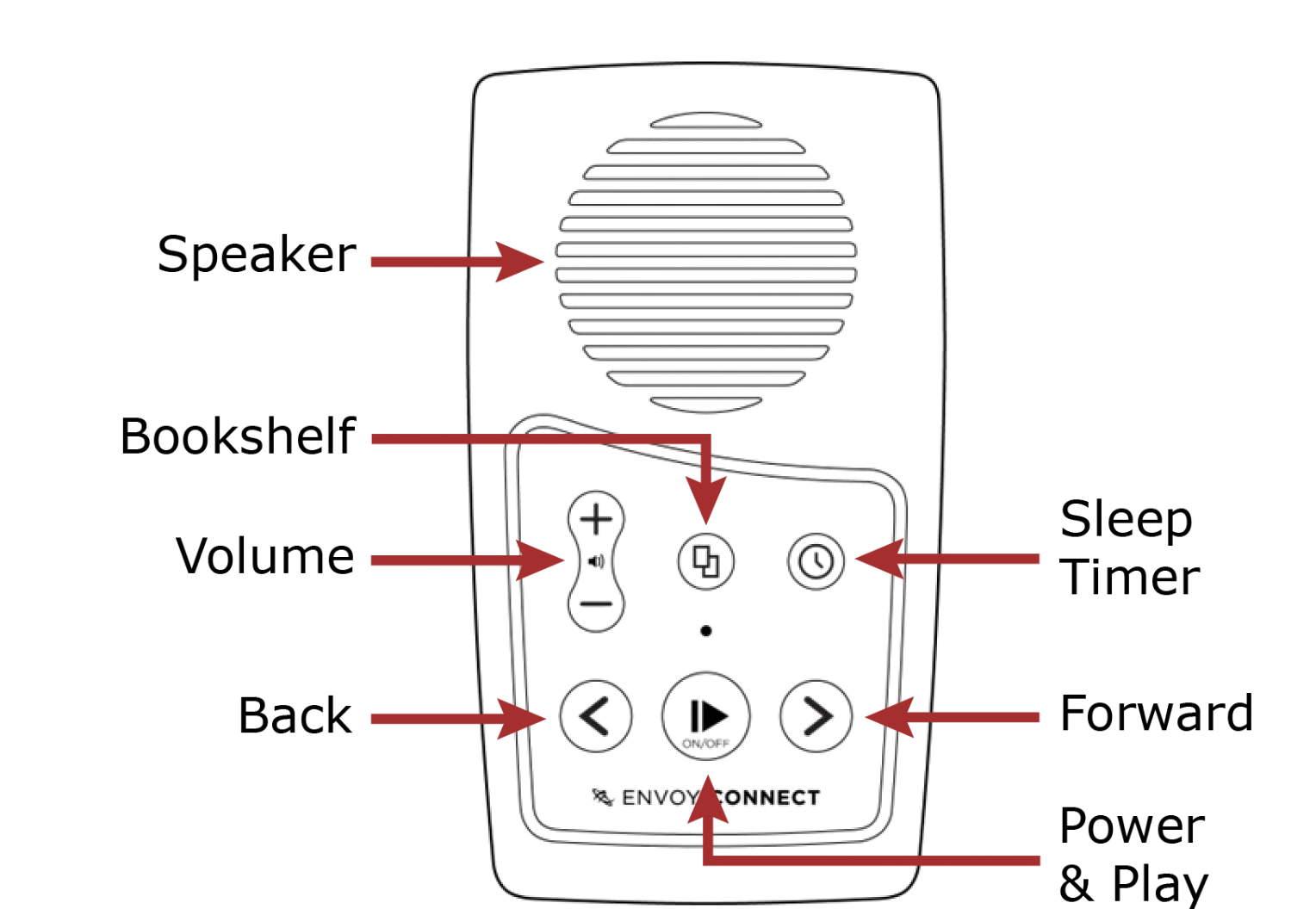
The player has a keypad of six buttons which are used to operate it. The buttons are positioned directly below the speaker and are organized into two rows of three buttons each.
Top row (from left to right)
Bottom row (from left to right)
Bottom edge of player (from left to right)
When player is on and playback is paused, press the bookshelf button (middle of top row) to cycle through book titles. When the desired book is selected, press play/pause (middle of bottom row) to begin reading.
Below is a list of instructions on how to perform the player’s most common functions.
If you use CELA Connect for reloading, you will be able to remove books from your device at the same time. Please refer to the CELA Connect Quick Reference Guide for further instructions.
If you send your Envoy Connect through the mail for reloading, the titles that are on the device will be removed for you.
You can also delete books directly from the player without the use of CELA Connect. Refer to the Envoy Connect User Guide for further instructions.
If you need help with your Direct to Player service, with listening to CELA books on your Envoy Connect or with anything to do with your CELA account, services or materials, we are here to help!